
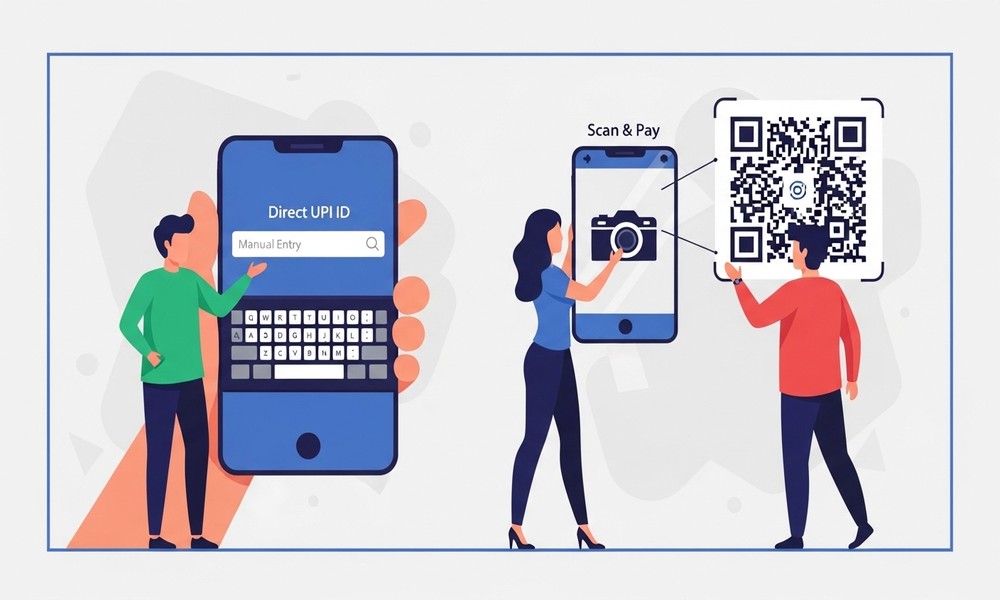

A practical comparison for Indian SMEs, freelancers, and service businesses
When Priya, a freelance graphic designer in Bengaluru, started accepting digital payments, she used payment links. Her clients would receive a URL, click it, choose a payment method, and pay. Simple enough — until she noticed she was paying 2–3% per transaction and the settlement took 2–3 days.
She switched to sending a UPI QR image on WhatsApp. Her clients scan it, pay in 10 seconds, and she sees the money in her account immediately. Her transaction cost: zero.
This article breaks down exactly when each option makes sense — so you can stop losing money on fees you don’t need to pay.
What Are We Comparing?
UPI QR Code
A static or dynamic image that customers scan with any UPI app. Payment goes directly bank-to-bank. No intermediary. No fees. Settlement is real-time.
Payment Link
A URL generated by a payment gateway (Razorpay, Instamojo, PayU, etc.). The link opens a checkout page where customers can pay via card, net banking, UPI, or wallet. The gateway processes the payment and settles to your account, usually 1–3 business days later, after deducting a fee.
Head-to-Head Comparison
Transaction Fees
- UPI QR Code: No per-transaction charges. No monthly fee. Direct bank transfer.
- Payment Link: 8–3% per transaction depending on gateway and payment method. On a ₹10,000 payment, that’s ₹180–₹300 per invoice.
Settlement Speed
- UPI QR Code: Instant — typically within 1–10 seconds.
- Payment Link: T+1 to T+3 (next business day to 3 business days). Can be instant for UPI payments within a gateway, but not guaranteed.
Setup Complexity
- UPI QR Code: Generate in under 60 seconds. No account, no KYC, no integration required.
- Payment Link: Requires payment gateway account, KYC, and bank account verification (can take 2–5 days).
Payment Methods Accepted
- UPI QR Code: UPI only — PhonePe, BHIM, Google Pay, Paytm, bank apps.
- Payment Link: UPI + credit/debit cards + net banking + wallets.
International Payments
- UPI QR Code: India only (UPI is domestic). Limited international support via NPCI cross-border pilots.
- Payment Link: Supports international cards and currencies with appropriate gateway setup.
Quick verdict: For domestic B2C and B2B payments under ₹2 lakh, a UPI QR code is almost always the better choice — zero fees, instant settlement, and no setup friction.
When to Use a UPI QR Code
- Walk-in retail customers paying at the counter
- Freelancers and consultants collecting fees from Indian clients
- Service businesses collecting deposits or advance payments
- Businesses sending invoices to regular clients who use UPI apps
- Event organisers collecting entry fees or registrations
- Any payment where the customer is Indian and amount is under ₹2 lakh
When to Use a Payment Link
- Customers who prefer credit card payment (EMI options, reward points)
- International clients paying in USD/GBP/AED
- E-commerce where you need automated order confirmation and refunds
- Amounts above UPI’s ₹2 lakh per transaction limit
- When you need a branded checkout page with T&Cs and product details
The Hybrid Approach: Use Both
The smartest approach for most Indian SMEs is to default to UPI QR for everyday collections — and have a payment gateway account as a backup for the exceptions. This gives you zero-fee payments 90% of the time, with the flexibility to accept cards or international payments when needed.
Your invoice can show both: a UPI QR code for instant payment, and a payment link for those who prefer card. Let the customer choose.
How to Create a Professional UPI QR Code
A professional QR code — with your business name, optional logo, and correct UPI ID — takes under a minute to generate:
- Go to the MyBooksAI UPI QR Code Generator (link below)
- Enter your UPI ID / VPA (e.g. business@oksbi)
- Add your business name (shown to customer on payment screen)
- Optionally set a fixed payment amount
- Download as PNG — ready for print, WhatsApp, or invoice embedding
🔗 Free UPI QR Code Generator — mybooksai.app — Generate your professional UPI QR code free — no signup needed
Cost Savings in Real Numbers
Say you collect ₹3 lakh per month from clients. With a payment gateway at 2% fee, you’re paying ₹6,000/month — ₹72,000 per year — in transaction fees. Switching to UPI QR for eligible domestic payments eliminates that cost entirely.
For a freelancer or small business, ₹72,000 saved annually is a significant number — roughly equivalent to a month’s revenue for many micro-businesses.
Final Thought
Payment links have their place. But for the majority of Indian small business payments, a UPI QR code is simpler, faster, and free. The only reason not to have one is not knowing how easy it is to generate.
🔗 Free UPI QR Code Generator — mybooksai.app — Create your free UPI QR Code — works with all UPI apps
About MyBooksAI
MyBooksAI is a free AI-powered cloud accounting platform built for Indian SMEs and emerging market businesses. It includes free tools for GST billing, UPI QR generation, purchase orders, quotations, and proforma invoices — no signup required for the tools. For full accounting automation, visit mybooksai.app.